
How to Find Trusted Local Businesses Near You on Biz Listing Online
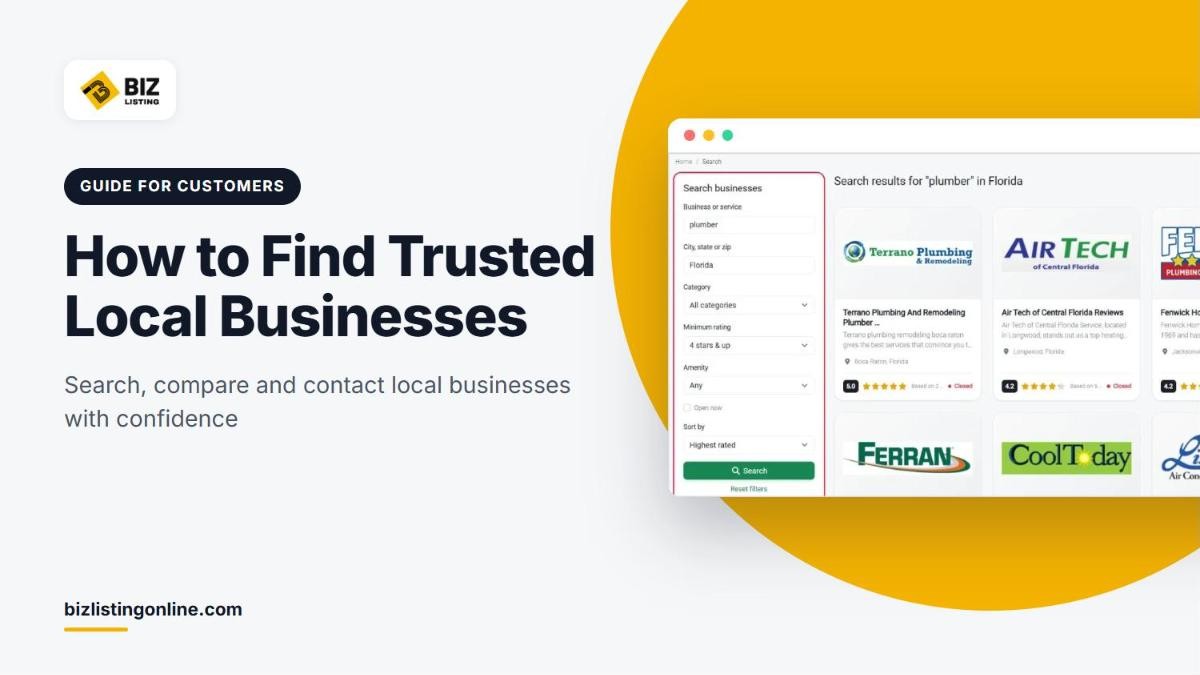
Choosing a contractor, clinic or salon is easier when you can compare several options side by side. Biz Listing Online is a free directory that helps you find trusted local businesses near you, read genuine customer reviews and contact businesses directly. You do not need an account to search or to call a business.
This guide explains how to search the directory, narrow your results, judge reviews and get in touch with the right business.
1. Search by service and location
The quickest way to start is the search bar on the homepage.
- In the first field, type the service or business you need, for example "plumber", "roofer" or "dentist".
- In the second field, enter a city, state or ZIP code.
- Click Search.
Below the search bar you will find shortcuts to popular categories such as Air Conditioning, Roofing, Plumbing, Electricians, Beauty & Day Spas and Lawyers.

Search by service and location from the homepage.
2. Narrow your results with filters
The search page lets you refine your results with filters:
- Category: limit results to one type of business
- Minimum rating: show only businesses rated 3 stars and up, 4 stars and up, or 5 stars
- Amenity: find businesses with features such as parking, Wi-Fi access or air conditioning
- Open now: show only businesses that are open at the time you search
- Sort by: order results by relevance, highest rated, newest or name
Each result card shows the business name, a short description, the location, the star rating, the number of reviews and whether the business is open now.

Use the filters to narrow results by rating, amenity and opening hours.
3. Browse by category or location
If you prefer to browse, open the categories page to see every type of business in the directory, or the locations page to browse by state and city. You can also combine the two, for example AC repair in Florida or lawyers in Florida.

Category and location pages list businesses in a specific area.
4. Check the curated lists
Three lists help you discover businesses quickly:
- Top Rated shows the highest-reviewed businesses.
- Trending shows businesses getting the most attention this week.
- Recently Added shows new listings that have just joined the directory.
5. Review the listing page
Once you find a business that looks promising, open its listing page. Before you get in touch, check:
- Rating and review count: a 4.7 rating from 15 reviews tells you more than a 5.0 rating from one review.
- Categories: make sure the business offers the specific service you need.
- Address and service area: confirm that it works in your area.
- Opening hours: see whether it is open now and when you can reach it.
- Description and photos: look for details about services, experience and real examples of work.
- Last updated date: shown under the contact details, it tells you how recently the listing information was updated.

Check the rating, review count, contact details and last updated date before you get in touch.
6. Read reviews with a critical eye
Reviews on Biz Listing Online must describe the reviewer's own experience and be at least 40 characters long. Every review is screened for spam, and reviews from owners, staff or competitors are removed. Even so, read reviews carefully to get the full picture:
- Read the most recent reviews first. They reflect how the business performs today.
- Look for specific details. Reviews that mention the job, the timing, the price and the result are more useful than general praise.
- Look for patterns. One complaint may be a bad day. The same complaint repeated by several customers is a warning sign.
- Read the owner's replies. A business that responds politely and offers to fix problems is usually a business that cares about its customers.
- Balance the rating with the number of reviews. More reviews give a more reliable average.
7. Contact the business directly
Every listing gives you several ways to get in touch, with no middleman:
- Call Now to phone the business
- Website to visit its own site
- Directions to open the address in Google Maps
- Send A Message to write to the business through the contact form on the listing
- Questions & Answers to ask a public question. The business is notified, and its answer appears on the listing for other visitors too. You need a free account to ask a question.

Signed-in visitors can ask the business a public question.
8. Questions to ask before you hire
A short conversation before you commit can save time and money. Depending on the service, consider asking:
- Are you licensed and insured for this type of work?
- Can you give me a written estimate?
- When can you start, and how long will the job take?
- Do you offer a warranty or guarantee on your work?
- Have you done similar jobs in my area recently?
Compare the answers from two or three businesses before you decide.
9. Leave a review when the job is done
Your review helps the next person make a better choice and gives good businesses the recognition they deserve. To leave a review, sign in or create a free account, open the listing page and write about your experience. Be specific, keep it honest and follow our review guidelines.
Found a wrong or fake listing?
If you spot a listing with wrong details, a duplicate or a business that does not seem genuine, email support@bizlistingonline.com with the listing link and a description of the problem. Our team reviews every report and corrects or removes the listing when the issue is confirmed.
Frequently asked questions
Do I need an account to search for businesses?
No. Anyone can search, browse listings, read reviews and call or message a business. You need a free account only to leave a review or ask a question.
Is Biz Listing Online free for customers?
Yes. Searching the directory and contacting businesses is free.
How are the reviews checked?
Every review is screened automatically for spam, advertising and other problems. Suspicious reviews are held for a manual check by our team before they appear. Reviews from business owners, staff, family members or competitors are removed.
How are search results ordered?
Results are sorted by relevance by default. You can change the order to highest rated, newest or name A to Z using the Sort by option on the search page.
Own a local business?
Biz Listing Online is free for business owners too. Learn how to list your business for free and start reaching customers who are already searching for your services.