
How to List Your Business on Biz Listing Online for Free (Step-by-Step Guide)
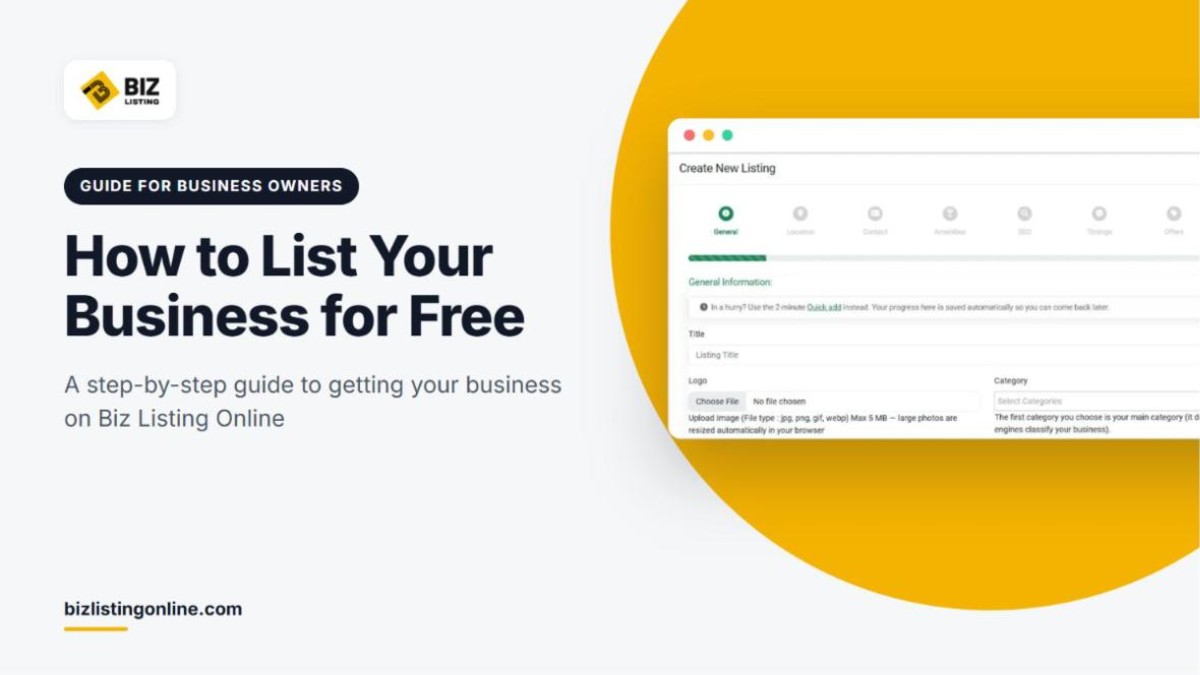
Biz Listing Online is a free business directory where customers search for local services, compare reviews and contact businesses directly. You can list your business for free in about ten minutes, with no setup fees and no credit card. This guide walks you through each step, from creating your account to getting your listing approved and in front of customers.
If your business already appears in the directory, you do not need a new listing. Go to the section on claiming an existing listing instead.
What you need before you start
Having these details ready will make the process faster:
- Your business name, written exactly as customers know it
- Your full address: street, city, state, ZIP code and country
- A phone number and a business email address
- Your website and social media links, if you have them
- Your opening hours for each day of the week
- A logo and a few real photos of your work, premises or team (JPG, PNG, GIF or WebP)
- A short, original description of what you do and the areas you serve
Tip: Use the same business name, address and phone number that appear on your website and other online profiles. Consistent details help customers recognize you and help search engines confirm that your business information is accurate.
Step 1: Create your free account
On the Biz Listing Online homepage, click List your business free. You can also use Register For Free Listing in the top menu.

Start with the List your business free button on the homepage, or use Register For Free Listing in the menu.
On the registration page, enter your first name, last name (optional), email address and a password. Complete the "I'm not a robot" check and click Create Account. If you prefer, you can sign up with your Google or Facebook account.

The registration form. You can also sign up with Google or Facebook.
After you register, we send a verification link to your email address. Click it to confirm your account. If the email does not arrive within a few minutes, check your spam or promotions folder.
Step 2: Choose quick add or the full listing form
Once you are signed in, you can add your business in one of two ways.
Quick add (about 2 minutes)
Quick add captures the essentials so you can get into the review queue fast. You enter your business name, category, city, state, country, phone number and business email. A short description of up to 600 characters is optional. You can add photos, opening hours and a full description later.

Quick add asks only for the essentials and takes about two minutes.
Full listing form (about 10 minutes)
The full form builds a complete profile with your description, photos, hours, amenities, social links, video and offers. We recommend it because complete profiles rank higher in Biz Listing Online search results and turn more visitors into customers. If you start with quick add, you can complete the full profile at any time.
Step 3: Complete the full listing form
From your account dashboard, open Add New Listing. The form is split into eight short steps and saves your progress automatically, so you can stop and come back later.

The full listing form has eight steps: General, Location, Contact, Amenities, SEO, Timings, Offers and Finish.
General
Add your listing title, logo, category, description, gallery images and an optional video from YouTube, Vimeo or an HTML5 source.
- Category: The first category you choose becomes your main category. It decides how search engines classify your business, so choose the one that matches your core service.
- Description: Write original text. The form asks for unique content and shows a live word count. Explain what you do, who you serve, which areas you cover and why customers choose you. Do not paste text from your website or another directory.
Location
Enter your business name, street, city, state, ZIP code and country, then set your position on the map. An accurate map location means the Directions button on your listing takes customers to the right place.
Contact
Add your email address, phone number and website, plus links to your Facebook, Instagram, Twitter and LinkedIn pages. Customers can call you, visit your site or send you a message straight from your listing.
Amenities
Select the features that apply to your business, such as Wi-Fi access, parking or air conditioning. Visitors can filter search results by amenity, so accurate choices help the right customers find you.
SEO
Add a meta title, meta description and keywords for your listing page. A simple, effective format for the title is your business name, main service and city. For the description, write one or two sentences that explain what you offer and where.
Timings
Set your opening hours for each day. Your listing then shows visitors whether you are open right now, and people who use the "Open now" search filter can find you during business hours.
Offers
If you run a promotion or a special offer, add it here. Offers give visitors one more reason to contact you instead of a competitor.
Finish
Preview how your listing will appear, check every detail and submit it.
Step 4: Wait for approval
Every new listing is checked by the Biz Listing Online team before it goes live. This keeps the directory free of spam and duplicates, so your business appears alongside real, verified companies. Most listings are approved within one to two business days.
You will receive an email when your listing is live. If something needs to change before approval, the email explains what to fix. To avoid delays, check that:
- your business is not already listed (if it is, claim it instead)
- your description is written in your own words
- your phone number, email and address are complete and correct
- you selected the category that matches your main service
Step 5: Share your listing and collect reviews
When your listing is live, put it to work:
- Add the link to your website, email signature and social media profiles.
- Send it to recent customers and ask them to leave a review. Reviewers need a free account, and each review must be at least 40 characters long.
- Reply to reviews from your account. Polite, prompt replies show future customers that you take feedback seriously.
For more ways to improve your results, read our guide on how to optimize your business listing.
Already listed? Claim your business instead
Your business may already be in the directory, even if you did not add it. In that case, claim the existing listing rather than creating a duplicate. Duplicate listings are not approved.
- Search for your business name and open your listing page.
- Click Claim This Listing.
- Sign in, or create a free account if you do not have one.
- Submit your claim. The team verifies that you represent the business.
- Once the claim is approved, the listing moves into your account and you can edit it and reply to reviews.

Use Claim This Listing on your business page to take over an existing listing.
How to edit your listing after it is published
Sign in, open View All Listings in your dashboard and click Edit next to your listing. Update any detail and save. Changes to the main content go through a short review, just like a new listing, and your current listing stays visible while the update is checked.
Frequently asked questions
Is it really free to list my business on Biz Listing Online?
Yes. Creating an account and publishing a business listing is free. There are no setup fees, no subscriptions and no credit card requirements.
How long does it take to get listed?
Quick add takes about two minutes and the full form takes about ten. After you submit, most listings are approved within one to two business days.
Can I choose more than one category?
Yes. You can select more than one category, but the first one you choose is your main category. Pick the category that best describes your core service first.
What happens if my listing is not approved?
You will receive an email that explains what needs to change. Update your listing with the requested changes and it will be reviewed again.
How do I contact support?
Use the form on our contact page or email support@bizlistingonline.com. Most messages receive a reply within one business day. You can also find answers in our FAQ.
Get your business listed today
A free listing puts your business in front of people who are already searching for the services you offer. If you are still weighing it up, read about the benefits of listing your business in an online directory. When you are ready, create your free listing.